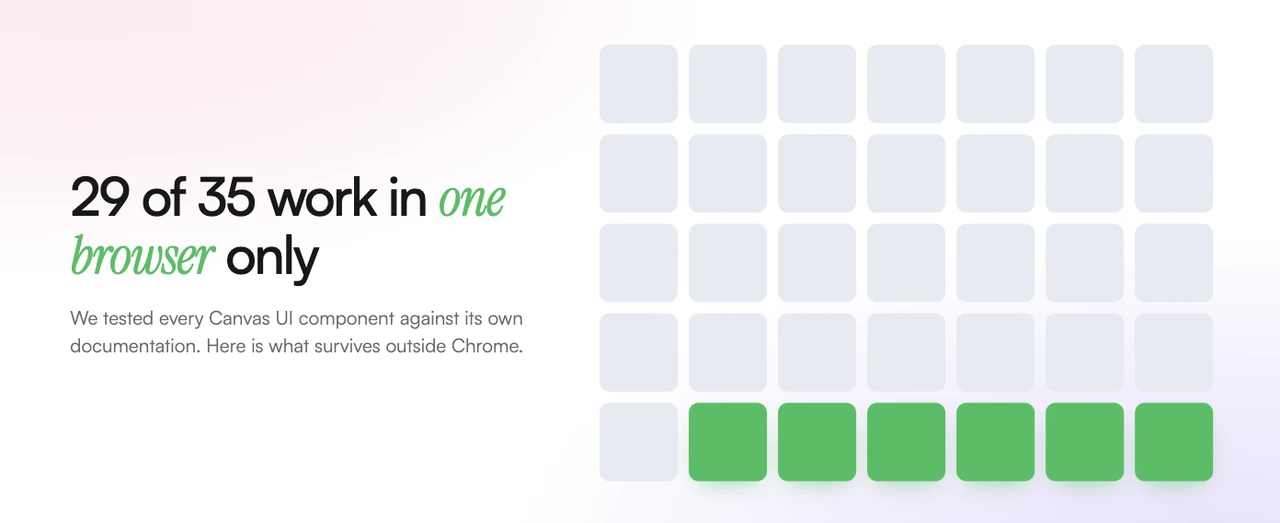
Most new web design tools are a rearrangement of things you've already seen. A slightly different animation. Another way to fade something in. Canvas UI isn't that. It takes ordinary parts of a web page, a heading, a photo, a paragraph of copy, and hands them to the graphics chip in your computer, the same one that draws video games. Text refracts through glass. A panel shatters and reassembles. A heading burns at the edges while the words stay perfectly readable.
The first time you see it, it doesn't look like a website. It looks like something else.
So we tested it properly. All 35 components, checked against their own documentation, across every major browser. Here's what we found, and what it actually means if you're planning a website in the next year.
What Canvas UI Actually Does
Your computer has two processors doing very different jobs. One handles general work, running the software, doing the math, holding everything together. The other exists to draw things on screen, and it's extraordinarily good at that one job. Games, video and 3D all run on the second one. Web pages, historically, have mostly run on the first.
Canvas UI moves parts of a web page onto the second one. It's a free open-source library published at canvasui.dev by an independent developer, David H Dev, released under an MIT licence with a Commons Clause attached. You wrap a piece of your page in one of its tags, and that piece stops being drawn the normal way. It gets treated as a surface in a 3D scene, one that can be lit, melted, frozen, refracted or set alight, redrawn sixty times a second.
The part worth understanding is that none of it is a video or an image. The text stays real text. It's still selectable, still readable by Google, still on the page. It's just being drawn by different hardware.
That's a genuinely new capability, not a new preset. Which is why it's worth being careful about what it can actually do today.
We Checked Every Component
Canvas UI ships 35 components. We opened each component's own documentation page and read what it says about browser support, rather than trusting the summary page. That distinction turned out to matter.
Twenty-nine of the 35 only work in Google Chrome, and only when the person visiting your site has manually switched on an experimental setting at chrome://flags/#canvas-draw-element. The underlying capability is called html-in-canvas, and it's currently in origin trial, which is Google's term for a feature it's still testing in public and hasn't committed to shipping.
Nobody's grandmother has that flag turned on. Almost nobody does.
In Safari, in Firefox, and in normal Chrome with nothing switched on, those 29 components don't fall back to a quieter version of the effect. They render whatever you wrapped as plain unstyled HTML. The section you designed arrives as bare text on a bare background.
Two of the 29 handle it better than the others. bubble keeps a translucent soap-film effect that follows the cursor. ascii-sweep keeps its panels live and properly styled. Neither gives you the full effect, but neither collapses either.
Six components work in every browser today. They're particle-object, ascii-object, glass-object, dithered-object, ink-object, and liquid-object. All six are object viewers. You give each one a 3D model, an SVG or an image, and it renders that thing. Give it nothing and it shows nothing. Not one of the six is a background effect you can switch on to decorate a section.
Why the Split Exists
This isn't arbitrary, and understanding it tells you which side of the line any future component will land on.
The 29 all do the same demanding thing. They take the real rendered content of your page, the actual text and images after the browser has laid them out and styled them, and hand that finished picture to the graphics card so it can be bent, refracted or burned. Handing live page content over to the graphics card is the hard part, and it's the part only Chrome can do right now, behind a flag.
The six never touch your page content at all. Each one renders its own object inside its own box. There's nothing to hand over, so there's nothing to block, and they run everywhere.
That's the whole split. Effects that distort your real content are gated. Effects that render their own object aren't.
A Note on the Documentation
Canvas UI's own overview page at /docs/rendering doesn't line up with the individual component pages. It implies that several components, Ripple and Clouds among them, work everywhere. Their own pages say otherwise. That's exactly why we checked all 35 individually instead of taking the summary at face value.
This is a free tool built and maintained by one person, and a single overview page drifting out of step with 35 separate ones is an ordinary thing to happen in an active project. It's not a criticism. It's just a reason to verify before you plan a build around it.
What That Looks Like in Practice
The names give you a rough idea. Glass is the one that sells the whole thing. A lens sits over real page copy, and as it drags across, the words underneath bend and stretch the way they would through a thick curved pane. Nothing is pre-baked. That's your live text being distorted as it moves.
Shatter breaks a content panel into fragments that scatter outward and settle back, and when the pieces come to rest the text inside is still ordinary selectable text. Frost creeps ice across a surface until it's almost opaque, then clears wherever the cursor passes over it. Flame-wrap burns along the edges of a heading while the letters hold their shape. VHS drags a whole block through the artifacts of worn magnetic tape, tracking lines, color bleed, a picture that can't quite hold still.
They are genuinely lovely. You should go and look at them, because we can't show them to you here, and that limitation is the entire point of this article.
Here is Canvas UI's own component gallery, loaded in an ordinary, up-to-date Chrome with nothing switched on.
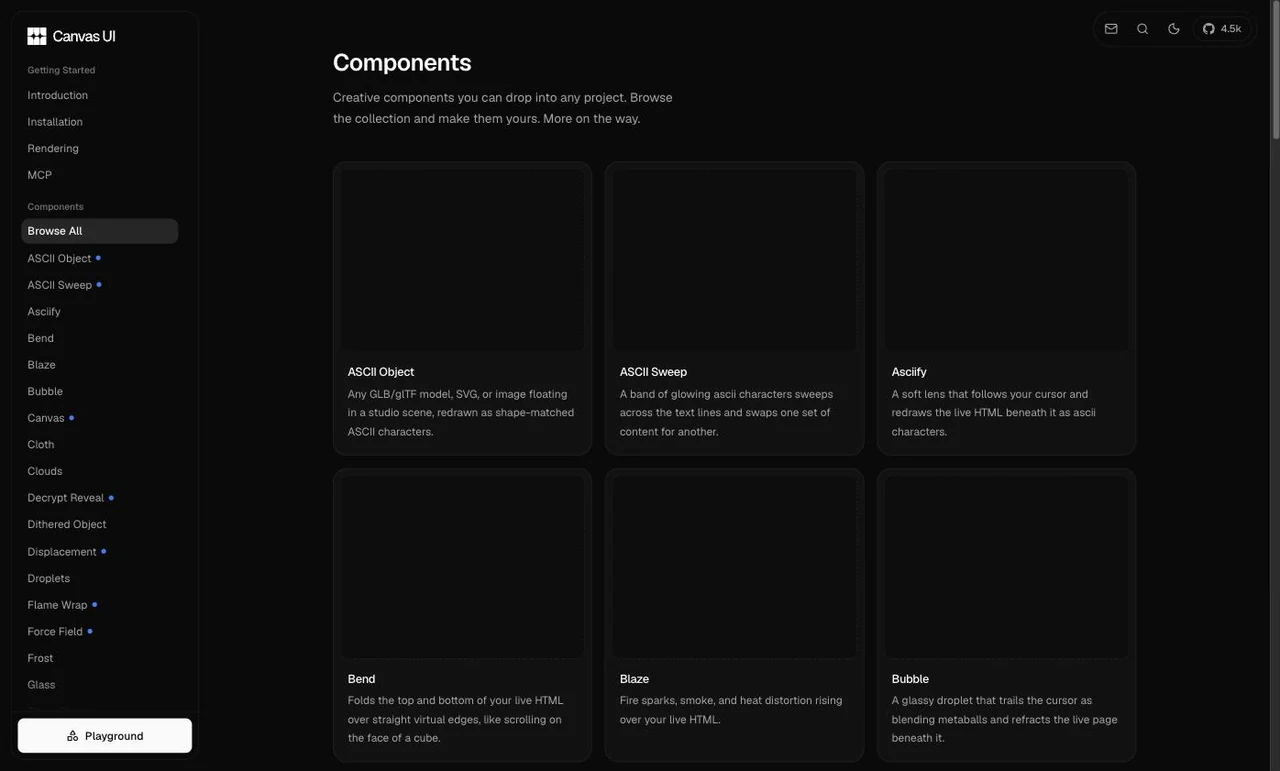
Every tile is blank. Not broken, not erroring, just empty, because each preview is a component rendering nothing without the flag. The descriptions load fine. The effects do not exist.
That is what your visitors get. Anyone on Safari, on Firefox, or on any iPhone at all sees the raw text and none of the effect. To see these working you have to visit canvasui.dev in Chrome and turn on chrome://flags/#canvas-draw-element yourself, which is a sentence that answers the question of whether this is ready for your website.
The Part That Works Everywhere
Here's one of the six that has no such caveat, running on this page right now.
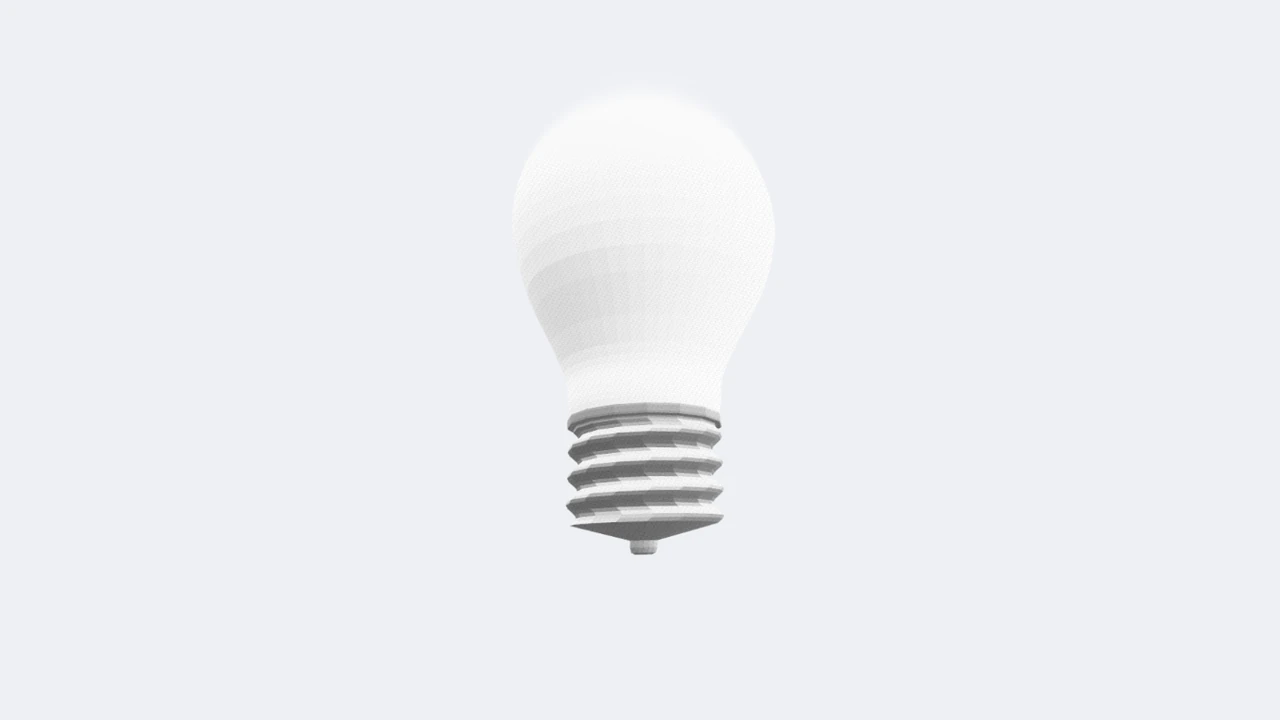
That's liquid-object, one of the six, running on your own graphics card in whatever browser you happen to be reading this in. Move your cursor across it. No flag, no warning, no fallback.
We measured what it cost us rather than guessing, because that's the question a business owner should be asking. Our homepage went from 229 kB to 230 kB of first-load JavaScript, and our blog index from 192 kB to 193 kB. In raw bytes that's 500 and 484, about half a kilobyte each, and none of it is the 3D library. It's the framework's own bookkeeping, a small lookup table Next.js adds so it knows where to find a file it will only ever fetch on demand. This post page grew by about 2 kB. The 3D library itself, two files of 348 kB and 253 kB, appears in the initial download of no page on this site at all. It arrives only once you scroll near the demo.
So the cost is real but contained. One decorative element on one page, paid for by the people who scroll far enough to see it. Page weight is worth watching all the same, and we've written about what speed does to a storefront when it slips.
Should You Put This on Your Website
Not on anything a visitor needs to read, understand or act on. Not yet. If you're weighing what actually moves the needle on a page that has to convert, our piece on landing page design that converts is a better place to spend the effort. Your headline, your pricing, your contact form, your service descriptions, none of that should depend on a feature that's an experiment in one browser. Most of your visitors would get the stripped-back version, and the stripped-back version is worse than what you'd have built without it.
One decorative element using the six that work everywhere is a different conversation. That's defensible today. A logo, a product render, a hero object, something that adds character without carrying meaning. If it fails, nothing important goes with it.
Go in knowing it isn't drag-and-drop, though. Getting the demo above working took real trial and error. We started with our own logo, which is 22 separate filled shapes rather than one solid outline, and the components that build depth by extruding geometry gave the icon and every individual letter its own floating slab. The wordmark stopped reading as a word. Every one of the six also needs a 3D model, an SVG or an image supplied to it, and the first sample models we tried were four to twelve megabytes each, which is a real cost on a page you want to load quickly. Getting to something that looked deliberate meant working through several components and several assets, and rejecting most of them.
That's the honest cost. Not the kilobytes, the judgement calls. Every asset behaves differently, and the difference between striking and broken is often one component choice.
Worth Watching, Worth Using Sparingly
We're watching this closely, because the direction is right. If html-in-canvas graduates out of origin trial and the other browsers follow, a lot of what's gated today becomes usable, and the web gets a genuinely new visual vocabulary. That's a real possibility, and we'd rather understand it early than scramble later.
Today, though, the version that's ready is small and specific. One object, one page, no dependency on anyone changing a setting they've never heard of.
If you're planning a build and you want it to feel like it belongs to this year rather than the last one, that's the kind of decision worth talking through properly, what's genuinely ready and what's still a demo. Our web design and web development work starts with that conversation, not with a list of effects. If you've seen something new and you're wondering whether it's real yet, ask us. We'll tell you what we actually found.